 Waypoint Mentor
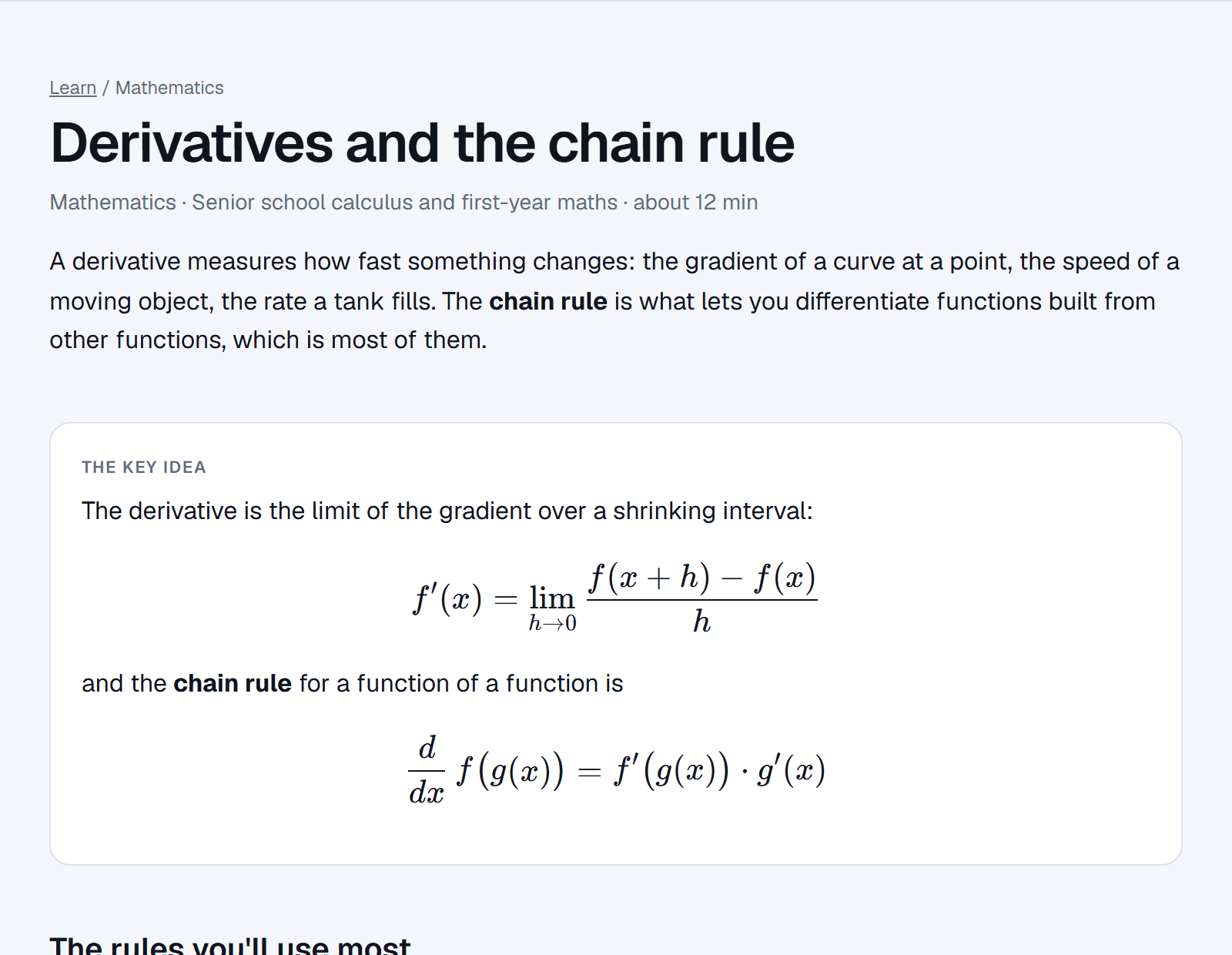
Learn a topic
Read worked explanations, explore simulations and check your understanding with quizzes.
Explore lessons →Ask questions out loud, interrupt whenever you need to, and follow each step on a live whiteboard. Built for maths, science, engineering and everything else you're studying.
No card required.
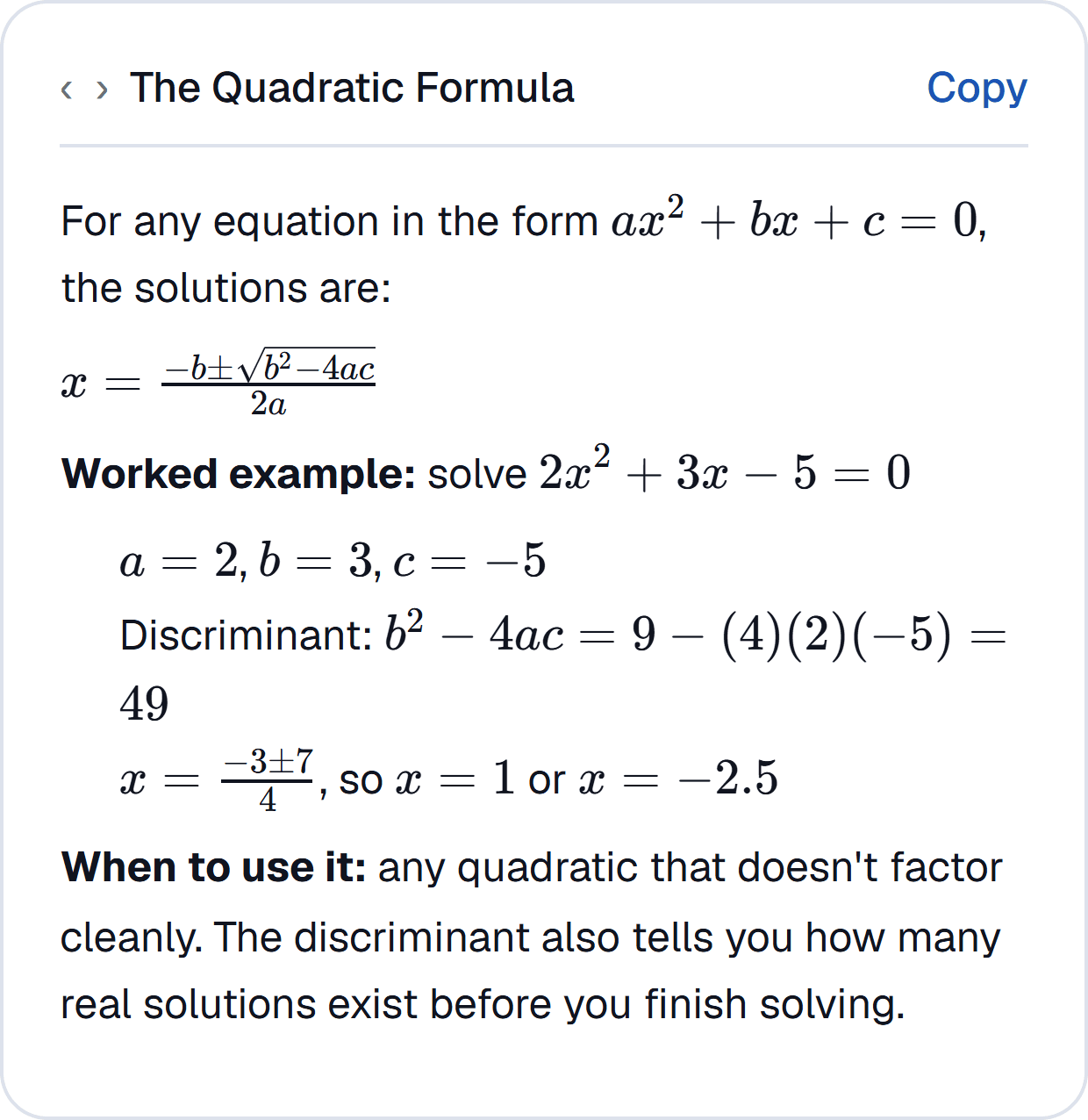
From the first question to the final answer, you can follow along at your own pace.
Speak naturally or type what you're working on.
See equations, diagrams and worked steps as your tutor explains.
Interrupt, question a step or try another example.
Watch a problem take shape with worked equations, diagrams and interactive simulations you can explore yourself.
Drag the load along the beam and the reactions, shear force and bending moment update as you move. Explore forces, graphs and other concepts with interactive models built into the learning experience.
Turn what you've learned into practice, organise your work and keep track of what comes next.
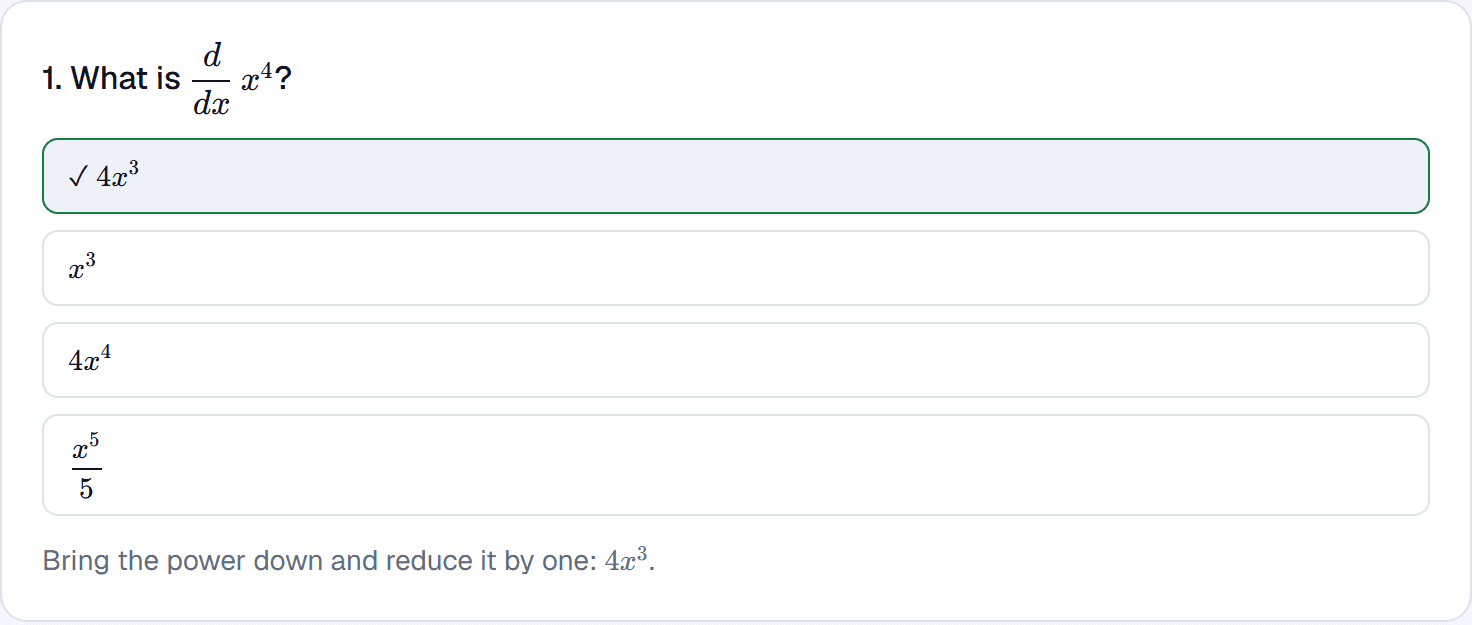
Upload your lecture slides and PDFs on a paid plan. Your tutor can use them to answer questions and point you back to the source.
See how course uploads workWatch a real walkthrough of the voice tutor and whiteboard.
“My mate showed me this and it's literally saved my grades. The voice tutor explaining my own lecture slides back to me is amazing, and the live AI whiteboard makes the concepts so easy to follow visually.”
“This is amazingly working for my math classes. The tutor walks me through problems with progressive hints on the whiteboard. Love that it saves all my assignment results in the grade tracker too!”
“Talking to the voice tutor is like studying with a smart friend who never gets annoyed. Uploading my lecture slides and having it generate a custom study guide is just incredible.”
Explore free lessons and calculators whenever you need a quick explanation or a way to check your work.
Read worked explanations, explore simulations and check your understanding with quizzes.
Explore lessons →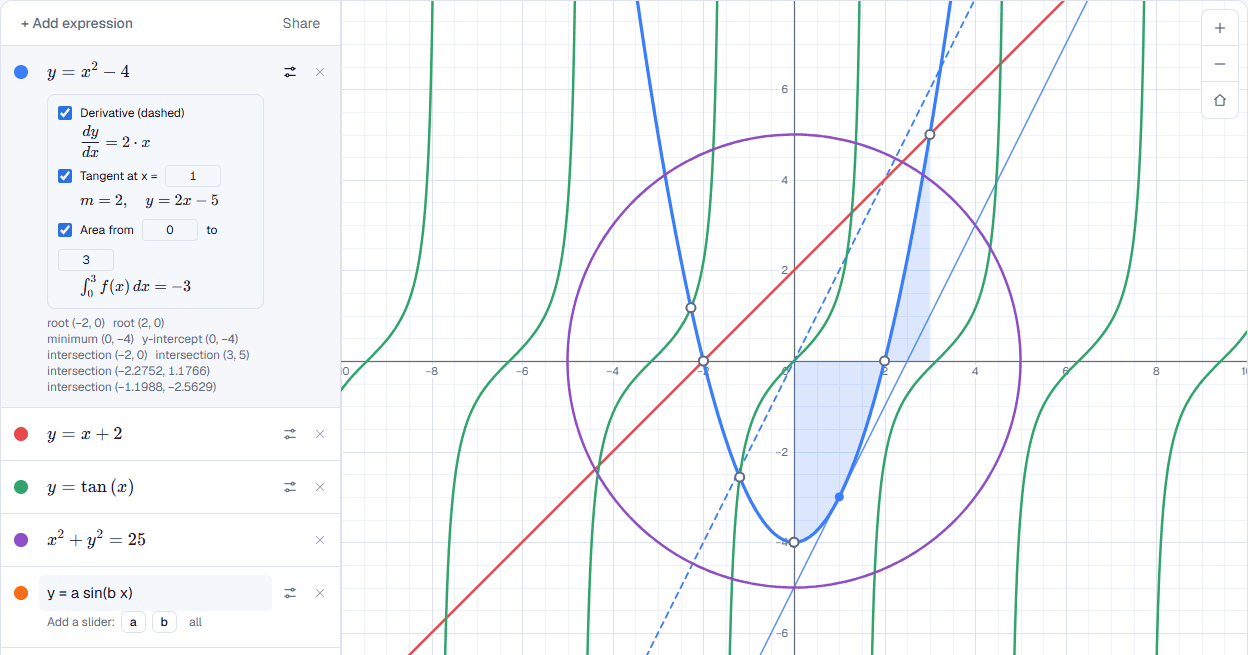
Use free scientific, graphing and unit-conversion calculators right in your browser.
Open calculators →Try the voice tutor without a card. Choose a larger plan if you need more tutoring time and study tools.
More in the full FAQ.
Open a course, go to its Files tab, and upload PDFs, slides, or notes. This is a Plus and Premium feature.
Yes - no card required, for any subject. Free includes 10 voice minutes/month, and Plus/Premium get much higher monthly allowances (100 and 200 minutes).
Any subject. On Free it draws on general knowledge; on Plus/Premium it can also ground answers in your own uploaded course material.
Yes. Speak naturally and interrupt whenever you like to ask a question, hear a step again or change direction. It stops, answers, and picks up where it left off.
Yes. Every whiteboard the tutor draws is saved to your account, and you can export it as a PDF or share it with a link.
No AI tutor is perfect. Waypoint Mentor checks arithmetic with real code before it tells you a number, but you should still review important answers and calculations.
Talk it through with Waypoint Mentor and see each step on the whiteboard.